 Schema Software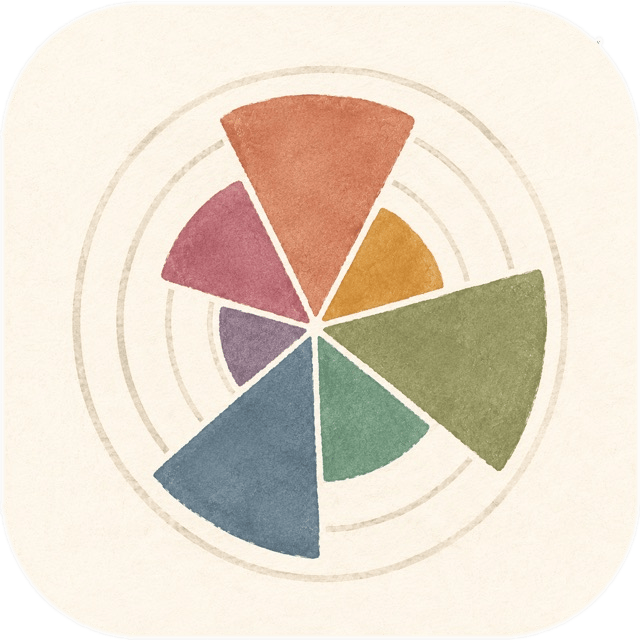
Seven Movements
Logging balanced workouts
Your workouts get sorted into seven ways of moving. The wheel shows how much of each type of movement you've been doing lately. You can see what's getting ignored and shift your workouts to add more balance.
The seven
Every exercise is organized by what your joints are doing, not by which muscle is sore afterwards. Here's how we think about it…
- PUSH Pressing something away from you, or yourself away from the floor.
- PULL Bringing something toward you, or yourself up to a bar.
- BEND Folding at the hips and straightening back up, with your back held flat.
- TWIST Turning through the middle or holding still against something trying to turn you.
- SQUAT Sitting down and standing back up, usually both legs at once.
- LUNGE The same, with one foot in front of the other.
- CARRY Picking something heavy up and going somewhere with it, or simply holding on.
CARRY is the one that some folks may have never done intentionally, but it shows up in our everyday lives outside the gym as much or more than any of the others.
The wheel
One wedge per movement, for whatever stretch of time you choose. A long wedge is something you've been doing more. A short wedge, less. It's a picture of balance. It's something that would be hard to hold in your head for a whole month, but you can read it off the wheel in a second.
A set is a set
Every set counts once. It's not how many reps you did or how much weight you were holding. A heavy set of five and an easier set of twenty both get counted as one set of work. If we used the number of reps to determine your balance, the exercises where you do high reps would look like the biggest part of your training. And that's not always the case.
Movements using more muscles count more than ones using fewer
A row and a curl both go under PULL, because both bend your arm toward you. But a row is more like what we mean when we think of pulling. When you do it, you use a bunch of muscles at once. A curl is like doing a piece of a pull, using fewer muscles. So, we count a row as one full set and a curl as half.
A goal, if you want one
You can set a number of sets to aim for. This turns the wheel from a picture of proportion into a picture of how far you've gone. The goal is off by default.
What the wheel doesn't show
How hard you worked: two sets may look identical, even if one nearly wiped you out and the other was a warm-up. Anything you did not log: a walk, a bike ride, a day of moving your stuff to a new place. And how you were training before you installed it. An even wheel means you are covering everything, not necessarily that you are doing enough.
We don't grade you.
No streaks, no badges, no notifications asking where you've been, no congratulations. The wheel shows you the balance of your training. You get to say what that means to you.
Logging a set
Sets don't require typing, and they can be entered with one hand. The app remembers what you did last time to make it easy to repeat.
Not everything is measured in weight and reps. Carries and holds are counted in seconds. For anything you do one side at a time, one rep means doing both sides (we're all about that balance). And some work will have no number on it at all.
The exercise library
With 438 exercises, you can use search to find your move. We've included variations to make them easy to find.
Every exercise carries written cues — how to set up, how to move, and what to watch for.
If the library doesn't have the exercise you're looking for, you can add it. You can also choose to suggest it to us so that we can grow the library — that opens an email in your mail app with the details filled in, and you send it or you don't. The box is unchecked by default.
Your training stays yours
Everything is stored in a database on your phone. There is no account, no sign-in, and no copy anywhere else. We cannot see what you lift, how often you train, or whether you open the app.
In Settings, you can download your data whenever you'd like — every session, set, custom exercise, and saved workout. This always keeps working, even if your trial ends.
The trial, and the price
Log twelve workouts for free. The trial is counted in workouts rather than days, so no rush.
After that, one payment unlocks it permanently. No subscription, no renewal, nothing to cancel, and no second payment for anything added later.
When the trial ends, you can't start a new workout, but all your existing workouts are still available.
Where we are right now
Seven Movements is still in development and will be in the iOS App Store soon.
If you'd like to test it out before release, get in touch!